









Hueta app installation in 3 steps
 Reviewed by Frank Op de Woerd · Updated 10.11.2026
The Hueta app puts the mobile casino on your home screen through a PWA rather than a native store download. Use Safari or Chrome to install it, then check the same payment, bonus and security rules that apply in your browser.
Hueta app without store downloads
The Hueta app is a progressive web app installed from the website rather than a native app from a store.
A PWA adds an app-style entry to your home screen while using web technology. You do not need a separate store listing to open the mobile casino this way. Start from hueta.bet, the official gambling site; hueta.app is the affiliate review site, not your casino account or cashier.
Installation does not create a new balance or a second account. Your existing account rules still apply, including the prohibition on multiple accounts and VPN use. If you already deposited €100 in the browser, installing the PWA does not turn it into another €100. It is another way to access the same service.
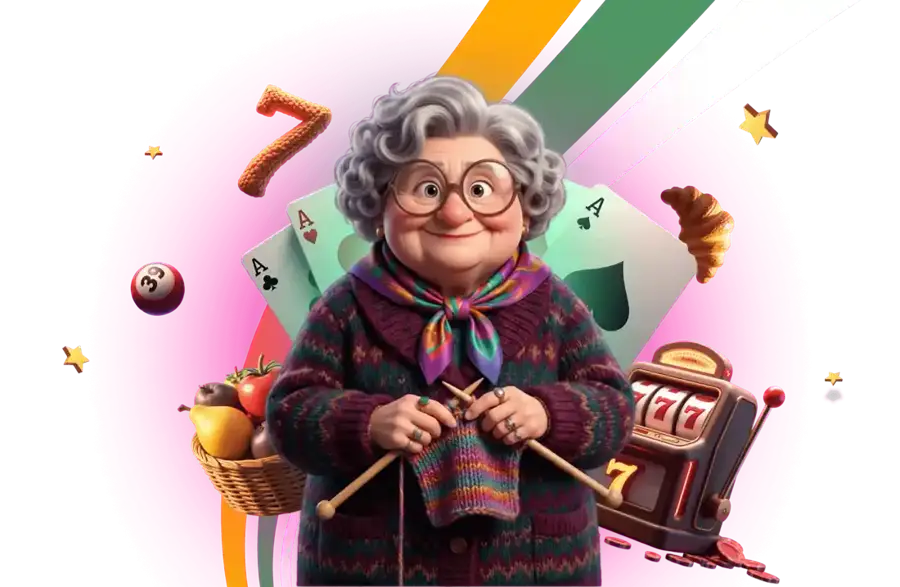
The green ball of yarn helps identify Hueta’s branding, but a familiar logo is not proof that a download is genuine. Check the domain rather than trusting an unsolicited installation message.
Install Hueta app on iPhone
On iPhone, install the Hueta PWA through Safari using Add to Home Screen.
- Open the official Hueta website in Safari outside private browsing.
- Use Safari’s Share control.
- Select Add to Home Screen.
- Confirm with Add.
- Open the new home-screen entry and check the site before signing in.
The installation option is not available in incognito mode. If the expected control is missing, first confirm that you are using Safari and a normal browsing window. Do not substitute a profile, certificate or unrelated download offered by a search result.
Installation alone does not require a casino deposit. Decide your spending budget separately from adding an icon. A €50 session budget remains €50 even if a promotion appears during setup; the invitation to claim an offer is not a reason to raise it.
Install Hueta app on Android
On Android, install the Hueta PWA from the Chrome menu using Install app.
- Open hueta.bet in Chrome in a normal browsing window.
- Open the browser menu.
- Select Install app when the option is available.
- Confirm the installation prompt.
- Launch the home-screen entry and sign in to your existing account.
Do not look for a separate native store app or assume that a similarly named APK belongs to Hueta. The specified installation route is the website’s PWA. If installation is unavailable, the ordinary browser remains the place to check site access and contact support.
Avoid repeated login attempts if the account is blocked or the service is unavailable in your location. A VPN is forbidden by the rules, not an installation fix. A second account can create a further problem rather than restore access.
Mobile casino games and cashier
Hueta mobile access covers the casino, live casino, sportsbook and cashier within the same service.
The casino library contains 6,500+ slots, with providers including Pragmatic Play, Play’n GO, BGaming and Hacksaw Gaming. Examples in the lobby include Sweet Bonanza, Alien Fruits and Chaos Crew. Availability in the current mobile lobby is the practical check before choosing a game; the overall library figure does not promise every title on every device.
Live casino includes providers such as Evolution and Ezugi. The sportsbook covers football, basketball, tennis, volleyball, ice hockey, UFC and e-sports. Small screens can make market details and stake controls harder to read, so review the full bet slip before submitting rather than relying on a shortened label.
The cashier remains subject to account-specific payment availability. Deposits must come from accounts in your own name. A mobile wallet button does not bypass identity checks, withdrawal limits or bonus restrictions.
Hueta PWA perks and limits
Hueta promotes faster withdrawals, extra bonuses and faster loading for the PWA, but these are claims rather than fixed performance guarantees.
No separate numerical PWA withdrawal deadline is specified in the supplied terms. The site’s displayed average cash out time of 6m 2s for the last 7 days should not be turned into a promise for your phone. KYC and payment-network delivery can still add time.
Likewise, an extra promotion needs its own terms. The standard casino welcome package is 675% up to €12,000 plus 1,000 free spins over six deposits, not an automatic reward for installing an icon. Check the actual offer before accepting it, including eligibility and wagering.
Only bets with bonus money count under the welcome rules. The €5 maximum bet, 10-day period and game contribution rates still apply on mobile. Convenience changes the screen, not the contract.
Mobile versus desktop casino use
Mobile suits shorter access sessions, while desktop provides more room to inspect rules and transaction details.
| Task | Mobile PWA | Desktop browser |
|---|---|---|
| Opening the casino | Home-screen entry after installation | Browser access |
| Reading bonus conditions | Check full text despite the small screen | More space for comparing terms |
| Live casino | Watch connection and battery use | Larger view of controls and stream |
| Sports bets | Review each selection before submitting | More room for market detail |
| Cashier and KYC | Check uploads and payment details carefully | Larger document preview |
| Account rules | Same wagering and verification obligations | Same wagering and verification obligations |
Choose the screen that makes mistakes less likely. If a document is difficult to inspect on a phone, use a larger display rather than guessing whether it is readable. If a game’s controls crowd the stake amount, stop and check the amount before continuing.
A €100 deposit is the same financial decision on either device. Switching screens does not reset a monthly cashout allowance or remove an active bonus. Keep one account and review its actual balance and restrictions.
Reduce mobile data and battery use
A stable connection and restrained background activity make mobile sessions easier to manage without changing the odds.
Live video generally demands more data and battery than reading account information. Use a trusted connection, close unnecessary background applications and lower screen brightness if needed. There is no published Hueta data-use figure here, so do not budget a live session around an invented amount of mobile data.
Avoid submitting a payment while moving between unstable connections. If a confirmation stalls, inspect transaction history before trying again. Two €50 deposits total €100 even when the second was intended only as a retry. Keep a record of the original attempt and ask support if its status is unclear.
Battery warnings are a reason to finish checking your account, not rush another bet. Set a time boundary before play and leave enough charge to read confirmation messages or contact support. Faster loading is not a financial advantage if it merely makes spending faster.
Fix Hueta mobile access safely
Most mobile troubleshooting should begin with the browser, connection and exact error rather than a fresh account.
- Missing installation option: leave incognito and use Safari on iOS or Chrome on Android.
- Loading failure: check your connection and reopen the official site.
- Login failure: check entered details and use the account recovery process where available.
- Payment uncertainty: inspect the cashier history before repeating a transaction.
- Verification delay: ask which document or account check is outstanding.
- Regional restriction: do not attempt to bypass it with a VPN.
Before clearing site data, make sure you can recover your login. Clearing browser storage may remove local access information without fixing an account-level restriction. Report the device, browser and visible error to support, but never send your password.
Live chat is available 24/7 and email support is [email protected]. For an unresolved €100 withdrawal, include the amount and transaction reference and ask whether approval or delivery is pending. That is more useful than saying only that the app is slow.
Protect mobile access and spending
Mobile safety requires secure account access and spending limits that remain separate from promotional prompts.
Use a device lock, keep browser software current and avoid leaving an authenticated session on a shared phone. Do not share payment credentials, wallet recovery phrases or verification codes with anyone offering to speed up a cashout. Request official help through the site rather than a private social message.
The minimum withdrawal is €10. A deposit not wagered at least once can attract an 8% withdrawal fee with a €4 minimum; an untouched €20 deposit therefore faces a €4 fee under that rule. Playing solely to avoid that fee can lose more than the fee itself.
Hueta is for adults aged 18 or over. Responsible gambling tools include a self-test and self-exclusion requested by email, active within 24 hours. BeGambleAware provides information about gambling harm. Removing the home-screen icon alone is not self-exclusion and does not close the account.
Facts checked: November 2026. Recheck the current installation prompt, promotion and cashier terms before relying on a previous screen.
Hueta Casino FAQ
Is there a Hueta app in the App Store?
There is no native store app in the stated mobile offering. Hueta uses a PWA installed from the website.
How do I install Hueta on iPhone?
Open the official site in Safari and select Share, then Add to Home Screen and Add. Use a normal browsing window rather than private mode.
How do I install Hueta on Android?
Open the official site in Chrome and select Install app from the menu. Installation is not available in incognito mode.
Does the Hueta app make withdrawals instant?
Hueta claims faster withdrawals as a PWA benefit, but supplies no separate guaranteed PWA deadline here. Verification and payment-network delivery still matter.
Can I use the Hueta cashier on mobile?
The mobile service includes the cashier. Check which methods are available to your account and use payment accounts in your own name.
Does deleting the Hueta app close my account?
Removing the home-screen entry is not account closure or self-exclusion. Email support to request self-exclusion, which becomes active within 24 hours.
Casino analyst. Reads bonus and payment terms line by line and checks every number on this page.